Keeping your clients’ websites running smoothly can feel like a full-time job. You want to deliver top-notch service, but managing updates, fixing bugs, and ensuring security can quickly become overwhelming.
What if you had a simple, effective way to stay on top of everything without burning out? This article will show you practical tips to maintain your clients’ websites efficiently, build trust, and keep them coming back. Ready to turn website maintenance from a headache into your secret weapon?
Let’s dive in.
Setting Clear Expectations
 Maintaining clients’ websites as a freelancer requires more than just technical skills. Setting clear expectations plays a key role in building trust and avoiding misunderstandings. Clear expectations help both you and your client understand what work will be done, how communication will happen, and how quickly issues will be addressed. This creates a smooth working relationship and ensures the website stays functional and updated without surprises.
Defining Scope Of Work
Defining the scope of work is the first step to clear expectations. It means explaining exactly what tasks you will perform and what is not included. This prevents extra work from being added without agreement.
Here are key points to include in the scope of work:
- Services provided: List tasks like updates, backups, security checks, and content changes.
- Frequency: Specify how often you will perform tasks (weekly, monthly).
- Limits: Clarify what you will not do, such as major redesigns or new feature development.
- Deliverables: Define what the client will receive, such as reports or updated files.
Use a table to present the scope clearly:
| Task | Description | Frequency |
|---|---|---|
| Website Backup | Create full backups of website files and database | Weekly |
| Security Updates | Install updates for plugins and CMS to keep the site secure | Monthly |
| Content Updates | Change text or images as requested by the client | As needed |
Clearly defining the scope reduces confusion and helps manage client expectations from the start.
Establishing Communication Channels
Clear communication is essential to maintain websites successfully. Both you and the client must agree on how and where to talk.
Choose communication channels that are easy to use and reliable. Common options include:
- Email: Best for formal requests and records.
- Messaging apps: Quick questions and updates (Slack, WhatsApp).
- Project management tools: Track tasks and progress (Trello, Asana).
- Phone or video calls: For detailed discussions or urgent issues.
Set rules for communication:
- Which channel to use for different types of messages?
- How often will you provide updates?
- Who is the main contact person on each side?
Example of communication plan:
| Purpose | Channel | Frequency |
|---|---|---|
| Task requests | As needed | |
| Progress updates | Project management tool | Weekly |
| Urgent issues | Phone or Messaging app | Immediately |
Good communication keeps both sides informed and avoids delays or confusion.
Setting Response Times
Response times mean how quickly you will reply to client messages or fix website problems. Setting clear response times helps the client know what to expect.
Define response times for different situations, such as:
- General questions: Responses within 24 to 48 hours.
- Minor website issues: Fixes within 1 to 3 business days.
- Critical problems: Immediate or same-day response.
Set realistic response times based on your availability and workload.
Example response time table:
| Issue Type | Response Time | Resolution Time |
|---|---|---|
| General questions | Within 24 hours | Within 48 hours |
| Minor bugs | Within 12 hours | 1-3 business days |
| Critical errors (site down) | Within 1 hour | Same day |
Clear response times build trust and keep the client confident in your service.
Best Practices for Freelance Website Maintenance Backups
 Maintaining clients’ websites as a freelancer involves many tasks, and regular website backups are one of the most important. Backups protect the site’s data from loss caused by hacking, server failure, or accidental errors. Regular backups ensure quick recovery and keep the website running smoothly without long downtime. This builds trust with clients and shows professionalism.
Choosing Backup Solutions
Choosing the right backup solution is critical for protecting your clients’ websites. There are many options, so focus on reliability, ease of use, and compatibility with the website platform.
- Manual Backups: Creating backups by downloading files and databases yourself. Useful for small sites or quick saves, but time-consuming.
- Plugin-Based Solutions: Popular for WordPress sites. Plugins like UpdraftPlus or BackWPup automate backups and store files safely.
- Hosting Provider Backups: Many web hosts offer backup services. Check frequency, storage limits, and the restoration process before relying on these.
- Cloud Backup Services: Services like Google Drive, Dropbox, or specialized backup tools provide off-site storage and better security.
Here’s a quick comparison of common backup solutions:
| Backup Method | Pros | Cons |
|---|---|---|
| Manual Backup | Full control, no extra cost | Time-consuming, risk of errors |
| Plugin-Based | Automated, easy to restore | May slow site, plugin conflicts |
| Hosting Provider | Integrated, no setup needed | Limited control, possible extra cost |
| Cloud Backup | Secure, off-site storage | Requires setup, subscription fees |
Choose a solution that fits the website’s size and your client’s budget. Combining two methods improves safety, such as plugin plus cloud storage.
Scheduling Automated Backups
Automated backups save time and reduce the risk of forgetting. Set a schedule based on how often the website changes. For example, blogs need daily backups, while static sites may need weekly.
Important tips for scheduling backups:
- Frequency: Match backup frequency with website updates. More updates mean more frequent backups.
- Time of Backup: Schedule backups during low traffic hours to avoid slowing the site.
- Multiple Backup Points: Keep several backup versions to restore from different dates if needed.
- Test Backup Process: Run a test restore to check if backups work correctly.
Example backup schedule:
| Website Type | Backup Frequency | Backup Time |
|---|---|---|
| Active Blog or News Site | Daily | 2 AM (low traffic) |
| Business Website with Few Changes | Weekly | 3 AM |
| Portfolio or Static Site | Bi-weekly or Monthly | 4 AM |
Set up automated emails or notifications to confirm that backups complete successfully. This keeps you informed and ready to act if problems occur.
Storing Backups Securely
Storing backups securely protects website data from theft, corruption, or accidental loss. Never keep all backups in one place. Use multiple storage locations and encrypt sensitive data.
Key practices for secure backup storage:
- Off-Site Storage: Use cloud services or external drives located separately from the website server.
- Encryption: Encrypt backup files to prevent unauthorized access.
- Access Control: Limit who can view or restore backups to trusted individuals only.
- Regular Cleanup: Remove old backups to save space, but keep enough versions for safety.
Here’s a simple checklist for secure backup storage:
- Store backups on at least two different platforms.
- Use strong passwords and two-factor authentication for cloud accounts.
- Test encrypted backups by restoring data periodically.
- Keep a local copy for quick recovery and a cloud copy for disaster protection.
Following these steps prevents data loss and maintains client trust. Secure backups mean faster recovery and less stress after a website issue.
Updating Website Software
Maintaining clients’ websites as a freelancer means keeping their software up to date. Updating website software is key to a smooth, secure, and fast website. Outdated software can cause errors, slow down the site, or create security risks. Regular updates improve performance and add new features. This task requires attention and care, so the website stays reliable and safe for visitors.
Cms And Plugin Updates
The CMS (Content Management System) and plugins are the heart of most websites. They allow easy content editing and add useful functions. Updating these components keeps the website working well and compatible with the latest web standards.
Why update CMS and plugins?
- Fix bugs that slow the website or cause errors.
- Improve speed and user experience.
- Add new features and improvements.
- Ensure compatibility with modern browsers and devices.
Some popular CMS platforms include WordPress, Joomla, and Drupal. Each one needs regular updates to stay secure and efficient.
| CMS/Plugin Update Task | Frequency | Impact |
|---|---|---|
| Core CMS Update | Monthly or as released | High – improves security and features |
| Plugin Updates | Weekly or bi-weekly | Medium – fixes bugs and adds features |
| Theme Updates | Monthly | Low to Medium – style fixes and compatibility |
Always back up the website before updating. Some plugins might conflict, so testing is important.
Security Patches
Security patches protect the website from hackers and malware. They fix known vulnerabilities in the CMS, plugins, or server software. Applying these patches quickly is vital to prevent attacks.
Key reasons to install security patches:
- Close security holes that hackers can use.
- Protect sensitive client and user data.
- Keep the website’s reputation safe.
- Comply with data protection laws.
Security patches often come as part of CMS or plugin updates. Some patches are urgent and require immediate action. Ignoring them can lead to:
- Website defacement.
- Data theft or loss.
- Blacklisting by search engines.
- Loss of client trust.
Freelancers should monitor security news and subscribe to update alerts. Many CMS platforms have built-in notification systems for new security updates.
Testing After Updates
Testing after updates ensures the website works as expected. Updates can sometimes break features or cause layout issues. Testing helps find and fix these problems early.
Steps to test after updating:
- Check website speed: Make sure pages load quickly.
- Verify main functions: Test forms, shopping carts, and login features.
- Review visual layout: Look for broken images, misplaced text, or style changes.
- Test on different devices: Use mobile, tablet, and desktop screens.
- Check browser compatibility: Test on popular browsers like Chrome, Firefox, and Safari.
Use tools such as:
- Google PageSpeed Insights
- BrowserStack for cross-browser testing
- Manual testing on real devices
Keep a backup ready to restore the site if updates cause serious issues. Document all tests and results for client transparency. This builds trust and shows professionalism.
Monitoring Website Performance
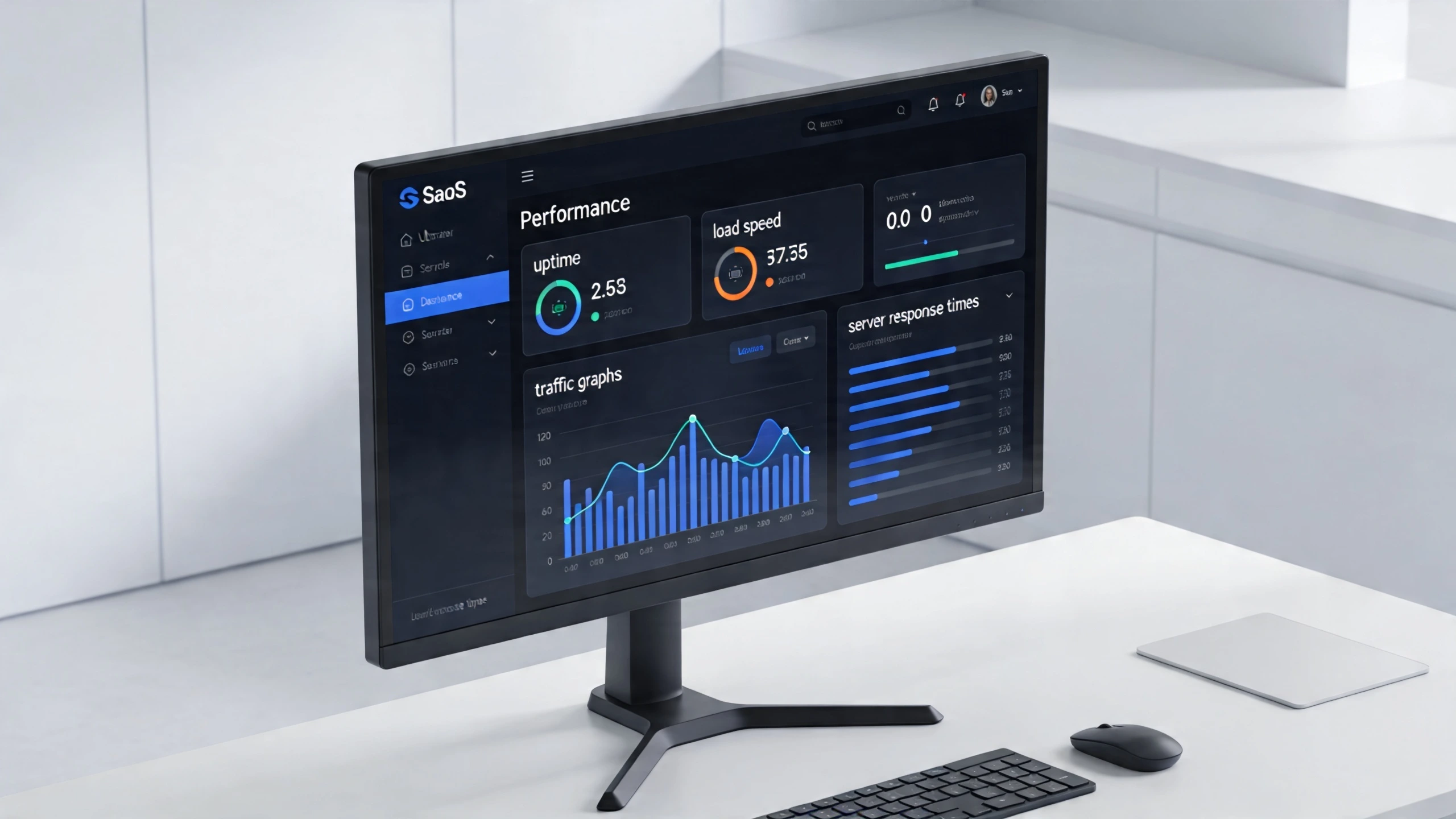 Maintaining clients’ websites as a freelancer involves more than just updates and backups. Monitoring website performance ensures the site runs smoothly and meets user expectations. A well-performing website keeps visitors happy and improves search engine rankings. Regular checks help catch issues early before they impact the site’s functionality or reputation. This section covers key areas of performance monitoring: tracking load times, checking uptime, and analyzing traffic patterns. Each area plays a crucial role in maintaining a reliable and efficient website.
Tracking Load Times
Load time measures how fast a website appears on a visitor’s screen. Slow load times frustrate users and increase bounce rates. Freelancers should regularly track this metric to ensure websites stay fast and responsive.
Important points to focus on:
- Page speed: How quickly the full page loads.
- Time to first byte (TTFB): How fast the server responds.
- Mobile vs desktop load times: Performance can differ between devices.
Tools like Google PageSpeed Insights, GTmetrix, and Pingdom help measure load times. These tools provide detailed reports and suggestions for improvement.
| Tool | Key Feature | Free Usage Limit |
|---|---|---|
| Google PageSpeed Insights | Scores and improvement tips | Unlimited |
| GTmetrix | Performance and structure analysis | Up to 20 tests/month |
| Pingdom | Real user monitoring | Limited free tests |
Fast-loading websites reduce visitor drop-off and improve search rankings. Use these tools regularly to keep clients’ websites running smoothly.
Checking Uptime
Uptime is the time a website stays online and accessible. High uptime is critical for client trust and user experience. Even short downtimes can hurt traffic and sales.
Freelancers should monitor uptime constantly. Alerts help respond quickly to outages. Key facts about uptime monitoring include:
- Uptime goal: Aim for 99.9% or higher.
- Downtime causes: Server issues, maintenance, or attacks.
- Monitoring services: Pingdom, UptimeRobot, StatusCake.
Below is a comparison of popular uptime monitoring tools:
| Service | Check Frequency | Alert Methods | Free Plan |
|---|---|---|---|
| Pingdom | 1 minute | Email, SMS | Limited |
| UptimeRobot | 5 minutes | Email, SMS, Push | Up to 50 monitors |
| StatusCake | 1 minute | Email, SMS | Limited |
Quick reaction to downtime reduces losses. Set up notifications and check reports daily for best results.
Analyzing Traffic Patterns
Understanding traffic helps improve website content and user experience. Traffic analysis reveals visitor behavior, popular pages, and traffic sources.
Freelancers should track these key metrics:
- Number of visitors: Total and unique visitors over time.
- Traffic sources: Search engines, social media, and direct visits.
- Most visited pages: Identify pages with high engagement.
- Bounce rate: Percentage of visitors who leave quickly.
Google Analytics is a popular tool for traffic analysis. It offers clear reports and easy-to-understand graphs.
| Metric | What it Shows | Why it Matters |
|---|---|---|
| Sessions | Number of visits | Tracks overall traffic volume |
| Source/Medium | Where visitors come from | Helps focus marketing efforts |
| Bounce Rate | Visitors leaving after one page | Indicates content relevance |
| Average Session Duration | Time spent on site | Shows user engagement |
Regular traffic analysis guides improvements and keeps the website aligned with client goals.
Handling Security Measures
Maintaining clients’ websites as a freelancer involves many tasks, but handling security measures is one of the most important. A secure website protects clients’ data, builds trust, and keeps the site running smoothly. Failing to manage security can lead to hacks, data loss, and damage to your reputation. Strong security practices help prevent these problems and show clients you are reliable. This section covers key steps to keep websites safe: implementing firewalls, scanning for malware, and managing user access.
Implementing Firewalls
A firewall acts as a barrier between a website and potential threats from the internet. It monitors and controls incoming and outgoing traffic based on security rules. Firewalls stop many cyberattacks before they reach the website server.
Types of firewalls for websites include:
- Web Application Firewall (WAF): Protects against common web attacks like SQL injection and cross-site scripting.
- Network Firewall: Filters traffic at the network level to block suspicious IPs or ports.
- Cloud-based Firewall: Hosted by a third-party service, it offers real-time protection and updates.
Implementing a firewall involves several steps:
- Choose the right firewall type based on the website’s needs.
- Configure firewall rules to allow only safe traffic.
- Regularly update firewall software to handle new threats.
- Monitor firewall logs for unusual activity.
Benefits of using firewalls:
| Benefit | Description |
|---|---|
| Prevents unauthorized access | Blocks hackers and malicious users from entering the site. |
| Stops malicious traffic | Filters harmful data packets before they reach the server. |
| Improves site performance | Reduces unwanted traffic, freeing up resources. |
| Provides logging and alerts | Helps detect and respond to security incidents quickly. |
Using a firewall is a key step to keep clients’ websites safe from many common cyber threats.
Scanning For Malware
Malware is harmful software that can damage websites or steal data. Regular scanning detects malware early before it causes harm. Scanning helps maintain website health and trust.
Common types of malware found on websites:
- Viruses
- Trojans
- Spyware
- Ransomware
- Backdoors
Steps for effective malware scanning:
- Use trusted scanning tools or plugins designed for the website platform.
- Schedule automatic scans weekly or daily, depending on the site’s risk level.
- Review scan reports carefully to identify threats.
- Remove or quarantine detected malware immediately.
- Perform manual checks if automatic scans raise alerts.
Popular malware scanning tools include:
| Tool | Platform | Key Features |
|---|---|---|
| Sucuri SiteCheck | WordPress, Joomla, Others | Free online scan, malware detection, blacklist monitoring |
| Wordfence | WordPress | Real-time scanning, firewall, malware removal |
| MalCare | WordPress | Automated malware scanning and cleanup |
Regular malware scanning protects your clients’ websites from hidden threats and keeps the site running safely.
Managing User Access
Controlling who can access the website is vital for security. Too many users with high permissions increase risks. Managing access limits these risks and protects sensitive information.
Key practices for managing user access:
- Use the principle of least privilege: Give users only the permissions they need.
- Create strong passwords: Enforce complex passwords for all users.
- Enable two-factor authentication (2FA): Adds an extra layer of security.
- Review user accounts regularly: Remove inactive or unnecessary users.
- Set clear roles: Define roles like admin, editor, contributor,r with appropriate limits.
Here is a simple example of user roles and permissions:
| Role | Permissions |
|---|---|
| Administrator | Full control over the website and settings. |
| Editor | Can publish and manage posts and pages. |
| Contributor | Can write and manage their own posts, but cannot publish. |
| Subscriber | Can only manage their profile and view content. |
Managing user access reduces the chance of accidental or intentional damage to the website. It keeps your clients’ data safer and builds trust in your service.
Content Management Support
Maintaining clients’ websites as a freelancer requires more than fixing bugs and updating plugins. Content Management Support plays a crucial role in keeping websites fresh, relevant, and engaging. It involves regular updates to text, images, and other media, plus optimizing content for search engines and adding new features that improve user experience. This support helps clients attract visitors and keeps their audience interested.
Updating Text And Images
Keeping website content current is essential for user engagement and trust. Outdated text or old images can make a website look neglected. Regular updates to text and images ensure the site reflects the latest information and brand style.
Tasks include:
- Correcting typos and grammar errors
- Adding new product descriptions or service details
- Replacing old photos with high-quality, relevant images
- Refreshing banners and promotional graphics
- Updating contact information or business hours
Using a content calendar helps plan updates and keep content timely. For example, a seasonal promotion banner should be changed at the right time to attract customers.
| Content Element | Update Frequency | Reason |
|---|---|---|
| Homepage Text | Monthly | Reflects current offers and news |
| Images and Banners | Quarterly | Keeps visual appeal fresh |
| Contact Info | As needed | Ensures visitors can reach the business |
Regular updates help websites perform better in search rankings and improve user experience.
Seo Enhancements
SEO enhancements improve a website’s visibility on search engines. This means more visitors find the site through Google, Bing, or other search tools. Content management support often includes making SEO improvements.
Key SEO tasks include:
- Adding or updating meta titles and descriptions
- Using keywords naturally within the text
- Optimizing image alt text for better indexing
- Improving page loading speed
- Fixing broken links and redirects
SEO also involves checking site structure and navigation. Clear menus and logical page flow help both users and search engines.
| SEO Task | Purpose | Frequency |
|---|---|---|
| Meta Tag Updates | Attracts clicks from search results | Monthly or with content changes |
| Keyword Optimization | Improves ranking for relevant searches | Every 2-3 months |
| Speed Improvements | Enhances user experience and SEO | Quarterly |
Following SEO best practices helps websites stay competitive and reach the right audience.
Adding New Features
Clients often want new features to improve their site’s function and user experience. Adding features keeps the website useful and aligned with business goals.
Common features freelancers add include:
- Contact forms for easy communication
- Booking or appointment systems
- Social media integration
- Live chat support
- Newsletter subscription forms
Adding features requires planning and testing. Features should be easy to use and work well on all devices.
Use this checklist for adding new features:
- Discuss client needs and goals
- Design feature layout and flow
- Develop and integrate the feature
- Test across browsers and devices
- Gather client feedback and make adjustments
New features can increase visitor interaction and make the website stand out.
Billing And Contracts
Maintaining clients’ websites as a freelancer requires clear billing and contract processes. These elements protect both the freelancer and the client. They set expectations on payments, services, and terms of work. Without clear billing and contracts, confusion can arise, causing delays or disputes. Organizing these aspects properly saves time and builds trust. This section explains how to handle payment terms, service agreements, and renewal or cancellation policies effectively.
Setting Payment Terms
Clear payment terms reduce misunderstandings and ensure timely payments. Define when and how the client pays for your website maintenance services. Use simple language and be specific about all details.
Important points for payment terms:
- Payment Schedule: Decide if payment is monthly, quarterly, or after specific milestones.
- Payment Methods: List accepted methods like bank transfer, PayPal, or credit card.
- Late Payment Fees: Set fees or interest for late payments to encourage promptness.
- Deposit Requirements: Ask for a deposit before starting work to secure commitment.
- Invoice Details: Include invoice timing, format, and contact information.
| Term | Description |
|---|---|
| Due Date | Payment must be received within 15 days of the invoice date |
| Late Fee | 5% fee added after 30 days past due date |
| Deposit | 50% deposit required before work begins |
Setting clear terms helps clients understand their responsibilities. It makes your freelancing work smoother and more professional.
Drafting Service Agreements
A service agreement outlines the work scope, responsibilities, and expectations. It forms the legal foundation of your freelancing relationship. The agreement protects your rights and the client’s interests.
Key elements to include in a service agreement:
- Scope of Work: Describe the maintenance tasks you will perform.
- Deliverables: Specify updates, backups, or reports you provide.
- Timeline: Define service duration and update frequency.
- Payment Terms: Reference the agreed payment schedule and fees.
- Confidentiality: Protect client data and sensitive information.
- Liability: Limit your liability for website issues beyond your control.
- Dispute Resolution: Explain how conflicts will be handled.
Below is a simple example of service agreement clauses:
Scope of Work: Monthly updates, backups, and security checks. Payment: $100 per month, due on the 1st. Confidentiality: Client data will not be shared. Liability: Freelancer not responsible for hosting downtime. Termination: Either party may end agreement with 30 days notice. Use plain words and avoid legal jargon. A clear agreement builds trust and sets professional standards.
Renewal And Cancellation Policies
Renewal and cancellation policies clarify how long services last and how to stop them. These policies avoid surprises and help both parties plan.
Important points for these policies:
- Automatic Renewal: State if the contract renews automatically or requires manual renewal.
- Notice Period: Define how much notice is needed to cancel the service (e.g., 30 days).
- Refunds: Explain if refunds apply for early cancellation.
- Final Invoice: Clarify how final payments will be handled after cancellation.
- Service Suspension: Describe conditions under which services can be paused or stopped.
| Policy | Details |
|---|---|
| Renewal | Automatic monthly renewal unless canceled 30 days before the end date |
| Cancellation Notice | Written notice is required 30 days before cancellation |
| Refunds | No refunds for partial months after cancellation |
Clear policies protect your income and give clients clear exit options. They make your freelancing website maintenance services more reliable and trustworthy.
Building Long-term Client Relationships
Maintaining clients’ websites as a freelancer requires more than just technical skills. Building long-term client relationships is key to ongoing success and steady income. Trust and clear communication keep clients coming back. Long-term partnerships also make managing websites easier over time. Clients feel confident that you understand their needs and goals. This trust grows with regular contact and helpful service.
Regular Reporting
 Regular reporting shows clients the value of your work. It keeps them informed about website health and progress. Providing clear, simple reports builds trust and avoids surprises.
Reports can include:
- Website uptime and downtime
- Security updates and scans
- Performance metrics like page speed
- Traffic and visitor behavior summaries
- Completed tasks and upcoming plans
Use easy-to-read tables or charts to explain data. For example:
| Metric | This Month | Last Month | Change |
|---|---|---|---|
| Uptime | 99.9% | 99.7% | +0.2% |
| Page Load Time | 2.1 sec | 2.3 sec | -0.2 sec |
| Security Scans | No threats | 1 threat found | Improved |
Send reports monthly or as agreed. Keep reports brief but informative. Clients appreciate transparency. It shows professionalism and care for their website’s success.
Proactive Recommendations
Waiting for clients to ask for help wastes time. Offering proactive recommendations shows you care about their website’s future. It also keeps the site safe and updated.
Examples of proactive tips:
- Suggesting plugin or software updates
- Recommending security improvements
- Advising on speed optimization
- Pointing out design or usability improvements
- Offering new features based on client goals
Prepare short, clear explanations for each recommendation. Explain the benefits and any risks of not acting. For example:
Recommendation: Update CMS to latest version Benefit: Fixes security holes and improves speed Risk: Older versions may get hacked or slow down site Proactive advice makes clients feel supported. It helps prevent problems before they start. This approach strengthens your role as a trusted partner.
Gathering Client Feedback
Client feedback helps improve your service and the website itself. Actively asking for opinions shows you value their views and want to meet their needs.
Ways to gather feedback:
- Send short surveys after updates or fixes
- Ask direct questions during check-in calls or emails
- Provide a simple feedback form on your site or via email
- Encourage clients to share concerns or ideas anytime
Keep questions simple and easy to answer. For example:
- Are you happy with the recent website updates?
- Is there anything you want us to improve?
- Do you feel your site is secure and fast?
Use feedback to adjust your work. Share improvements with the client to show you listened. This cycle builds trust and shows commitment to their success.
Scaling your freelance business? Let WebSea handle the heavy lifting with our Managed VPS solutions, so you can focus on the code.
Frequently Asked Questions
How Often Should I Update Client Websites As A Freelancer?
Regular updates are crucial for security and performance. Aim to update client websites at least once a month. Frequent updates prevent vulnerabilities and keep content fresh. Always check for CMS, plugin, and theme updates to ensure optimal website functionality.
What Tools Help Manage Multiple Client Websites Efficiently?
Use website management tools like ManageWP, InfiniteWP, or MainWP. These tools allow centralized updates, backups, and monitoring. They save time and improve workflow. Automating routine tasks helps freelancers maintain multiple client sites effectively without missing critical maintenance.
How Do I Communicate Website Maintenance Progress To Clients?
Provide clear, concise reports after each maintenance session. Use email or project management tools to update clients regularly. Highlight completed tasks, upcoming work, and any urgent issues. Transparent communication builds trust and demonstrates professionalism in website maintenance services.
What Are Key Website Maintenance Tasks Freelancers Must Perform?
Essential tasks include updates, backups, security scans, and performance checks. Monitor site uptime and fix broken links promptly. Regular content review and SEO optimization also improve site quality. These tasks keep client websites secure, fast, and user-friendly.
Conclusion
Maintaining client websites takes regular effort and clear communication. Keep sites updated to avoid security risks and errors. Check performance often to ensure fast loading times. Respond quickly to client requests and fix issues fast. Use simple tools to track changes and backups.
Building trust through reliability helps keep clients happy. Consistent care makes websites run smoothly every day. Stay organized and plantasksd. This approach grows your freelance business steadily and well.