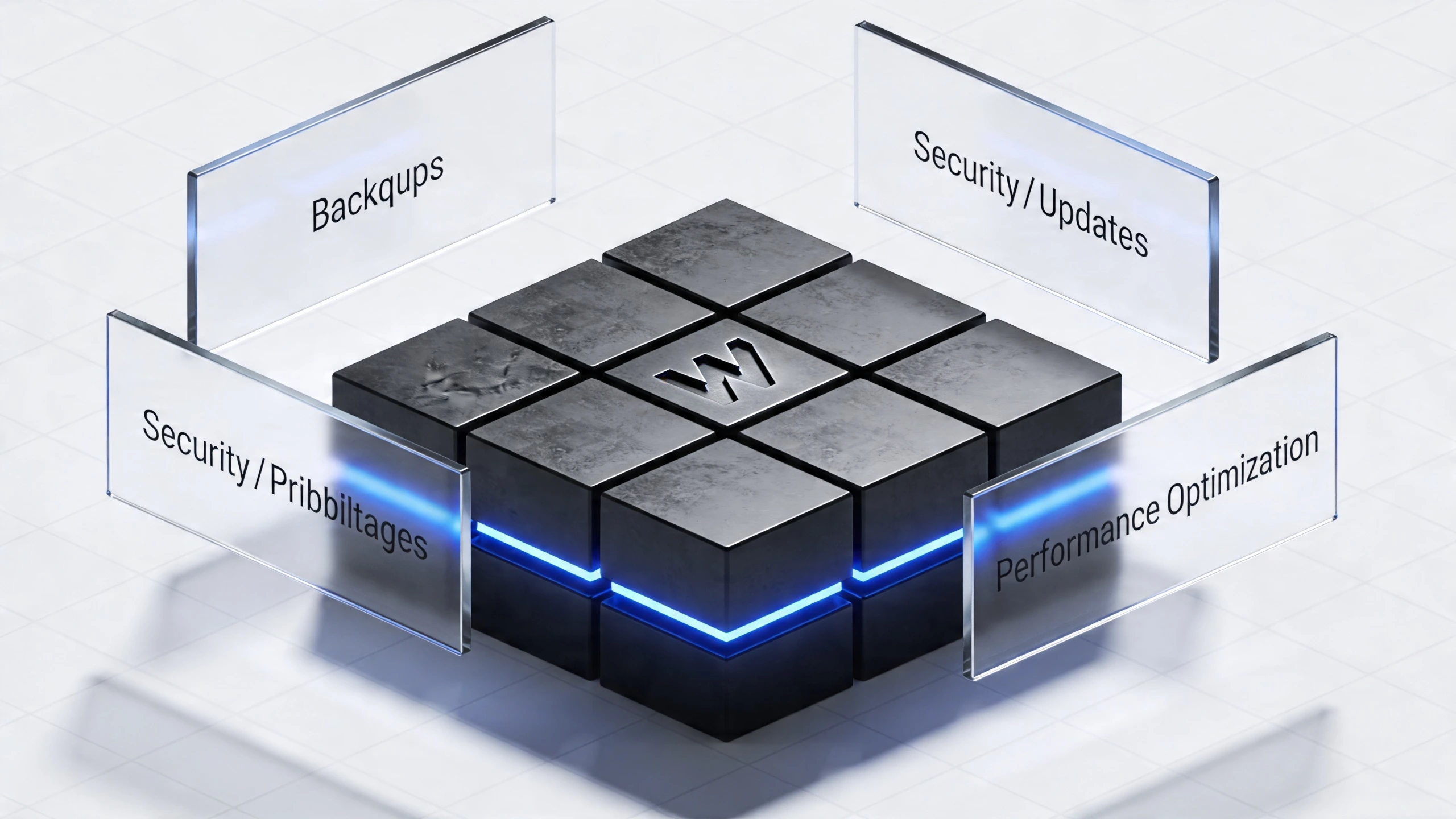
Uptime is crucial because downtime can lead to lost sales and damage customer trust. Reliable website performance ensures continuous revenue.
Maintaining high uptime is essential for any online business. Downtime can severely impact your sales and customer satisfaction. When your website is down, potential customers can’t access your products or services. This results in lost revenue and missed opportunities. Consistent website performance enhances user experience and builds trust.
Search engines also favor websites with higher uptime, boosting your SEO rankings. Investing in reliable hosting and regular maintenance can minimize downtime. Ensuring your website is always accessible can significantly improve your business’s bottom line.
In today’s digital age, uptime is crucial for any online business. Uptime refers to the amount of time a website or service is operational and accessible to users. A high uptime percentage signifies reliability, whereas downtime can lead to missed opportunities and revenue loss. Understanding the impact of uptime on your business can help you take the necessary steps to ensure your website remains available and functional.
Revenue Loss
Downtime directly affects your bottom line. When your website is down, potential customers can’t access your products or services. This means lost sales opportunities. Imagine a customer ready to make a purchase, but your site is unavailable. They will likely go to a competitor, leading to lost revenue. Consider the following points:
Missed transactions: Each minute of downtime can result in hundreds or thousands of dollars in lost sales.
Ad spend waste: Paid advertising campaigns drive traffic to your site. Downtime means wasted ad spend as visitors can’t convert.
Reduced repeat business: Customers who experience downtime may hesitate to return, reducing lifetime value.
Here’s a simple table to illustrate potential revenue loss:
Downtime Duration
Potential Revenue Loss
1 minute
$500
1 hour
$30,000
1 day
$720,000
Customer Trust
Customer trust is vital for any business. When your website experiences downtime, it affects how customers perceive your brand. Frequent downtimes can lead to a loss of trust, making customers question your reliability. Consider the following impacts:
Negative user experience: Customers expect seamless access. Downtime disrupts this, leading to frustration.
Harm to brand reputation: Word spreads quickly. Unreliable websites get a bad reputation, leading to a decrease in new customers.
Increased support costs: Customers facing issues will reach out to support, increasing operational costs and straining resources.
Building and maintaining trust is essential. A reliable website contributes to a positive user experience and helps cultivate long-term customer relationships. Remember, trust is hard to earn but easy to lose. Ensuring your site remains up and running is a step towards maintaining that trust.
Common Causes Of Downtime
In the digital age, uptime is crucial for any online business. Downtime can lead to lost sales and damage to your reputation. Understanding the common causes of downtime helps in mitigating these issues. Two primary causes of downtime are technical failures and human error.
Technical Failures
Technical failures are a major cause of downtime. These failures can disrupt your services and lead to significant financial loss. Here are some common technical failures:
Server Crashes: Servers can crash due to hardware malfunctions, software bugs, or overloads. Regular maintenance can help prevent this.
Network Issues: Problems with network connectivity can disrupt access to your site. This includes issues with your ISP or internal network failures.
Power Outages: Power failures can lead to server shutdowns, causing downtime. Backup generators and power supply units are crucial for continuity.
Software Bugs: Unpatched software can lead to bugs that crash your system. Regular updates and patches are essential.
Below is a table summarizing these technical failures and their potential impact:
Technical Failure
Potential Impact
Server Crashes
Complete service disruption
Network Issues
Limited or no access to your site
Power Outages
Immediate server shutdown
Software Bugs
System instability
Human Error
Human error is another significant cause of downtime. Even with the best systems in place, errors can happen. These errors often stem from:
Incorrect Configurations: Misconfigured servers or networks can lead to downtime. Double-checking settings can minimize this risk.
Poor Maintenance Practices: Neglecting regular maintenance can cause system failures. Scheduled maintenance is key.
Unintentional Deletions: Accidental deletion of critical files can disrupt services. Backup solutions can safeguard against this.
Lack of Training: Inadequately trained staff can make critical mistakes. Ongoing training programs are essential.
Here is a table showing common human errors and their consequences:
Human Error
Potential Consequence
Incorrect Configurations
Service misbehavior
Poor Maintenance Practices
Unexpected downtime
Unintentional Deletions
Loss of critical data
Lack of Training
Operational mistakes
Financial Consequences
Uptime is crucial for any online business. Downtime can lead to significant financial consequences. Understanding these impacts helps businesses stay ahead. Let’s explore the financial consequences of downtime.
Direct Costs
Downtime results in immediate losses. These direct costs affect your bottom line. Here are some key points to consider:
Lost Sales: Every minute your site is down, you lose potential sales. Customers may go to competitors.
Refunds: Downtime might lead to customer refunds. This reduces your revenue further.
Support Costs: Handling customer complaints during downtime increases support expenses.
Let’s break down these costs in a simple table:
Type of Cost
Description
Example
Lost Sales
Revenue lost due to missed transactions
$500/hour
Refunds
Money returned to dissatisfied customers
$200/day
Support Costs
Additional customer service expenses
$100/day
These costs add up quickly, impacting your financial health.
Long-term Impacts
The long-term impacts of downtime can be even more damaging. These effects last beyond the immediate incident.
Customer Trust: Frequent downtime erodes trust. Customers may doubt your reliability.
Brand Reputation: Negative reviews spread quickly. A tarnished brand takes time to rebuild.
Loss of Loyal Customers: Loyal customers may leave. Acquiring new ones is costlier.
Decreased Market Share: Competitors may gain your market share. This impacts future growth.
Increased Marketing Costs: Rebuilding reputation requires more marketing spend. This strains your budget.
Maintaining uptime is essential. It safeguards both immediate and future financial stability.
Measuring Downtime
Measuring Downtime
Uptime is critical for any online business. Downtime can lead to lost sales and unhappy customers. Measuring downtime is crucial to understanding its impact. Knowing how to measure downtime can help you improve your website’s reliability and customer satisfaction.
Key Metrics
To measure downtime effectively, focus on key metrics that provide a clear picture of your website’s performance. Here are the essential metrics to track:
Uptime Percentage: This metric shows the percentage of time your website is up and running. Aim for at least 99.9% uptime.
Downtime Duration: This measures how long your website was down. Shorter downtimes are better for your business.
Frequency of Downtime: How often your website experiences downtime. Fewer incidents mean a more reliable website.
Error Rate: The number of errors encountered by users. High error rates can lead to a poor user experience.
Response Time: How quickly your website responds to user requests. Faster response times improve customer satisfaction.
Tracking these metrics helps you identify issues and improve your website’s uptime. Use this information to make informed decisions and enhance your online presence.
Tools And Techniques
Various tools and techniques can help you measure and manage downtime. Here are some popular options:
Monitoring Software: Tools like Pingdom, UptimeRobot, and New Relic provide real-time monitoring of your website’s uptime and performance.
Logging Systems: Use logging systems like Loggly or Splunk to track errors and downtime events. These tools help you identify patterns and fix issues.
Alerting Services: Services like PagerDuty and Opsgenie send alerts when your website experiences downtime. Prompt notifications allow you to address problems quickly.
Performance Testing: Tools like Google PageSpeed Insights and GTmetrix test your website’s speed and performance. Regular testing ensures your site remains fast and reliable.
Redundancy and Failover: Implement redundancy and failover mechanisms to minimize downtime. Use multiple servers and backup systems to keep your website running smoothly.
These tools and techniques help you maintain high uptime and reduce the impact of downtime on your business. By using these resources, you can improve your website’s reliability and protect your sales.
Strategies For Improvement
Keeping your website up and running is crucial for business success. Downtime can lead to lost sales, frustrated customers, and a damaged reputation. By focusing on uptime, you ensure a seamless experience for your users. Let’s explore some strategies for improvement to keep your site running smoothly.
Regular Maintenance
Regular maintenance is essential for keeping your website in top shape. Scheduled maintenance helps you identify and fix issues before they cause downtime. Here are some key steps:
Update Software: Ensure your CMS, plugins, and themes are up-to-date.
Backup Data: Regular backups protect your data from loss.
Monitor Performance: Use tools to track site speed and performance.
Security Checks: Regularly scan for malware and vulnerabilities.
Here’s a table summarizing essential maintenance tasks:
Task
Frequency
Update Software
Monthly
Backup Data
Weekly
Monitor Performance
Daily
Security Checks
Monthly
Employee Training
Employee training is vital for preventing downtime. Well-trained staff can quickly identify and resolve issues. Focus on the following areas:
Technical Skills: Ensure employees know how to use monitoring tools.
Security Awareness: Teach staff to recognize phishing and other threats.
Backup Procedures: Train employees on how to perform and restore backups.
Emergency Protocols: Have a clear plan for dealing with unexpected downtime.
Here’s a sample training schedule for your team:
Training Topic
Frequency
Technical Skills
Quarterly
Security Awareness
Monthly
Backup Procedures
Bi-Annually
Emergency Protocols
Annually
Technology Solutions
In today’s fast-paced digital world, uptime is critical for businesses. Downtime can lead to lost sales, frustrated customers, and a damaged reputation. Technology solutions like cloud services and backup systems can help ensure maximum uptime. This blog post delves into these essential solutions and how they can safeguard your business from costly downtime.
Cloud Services
Cloud services are a key player in maintaining high uptime. These services offer reliability and scalability, which are crucial for businesses of all sizes. Here are some benefits of using cloud services:
Scalability: Cloud services can easily scale up or down based on your needs. This flexibility helps in handling traffic spikes without downtime.
Redundancy: Cloud providers often have multiple data centers. If one goes down, another can take over, ensuring continuous service.
Cost Efficiency: Pay for what you use. This model reduces unnecessary expenses and allocates resources where needed.
Consider a scenario where your e-commerce site experiences a sudden surge in traffic due to a flash sale. Cloud services can handle the increased load without crashing. This capability ensures that your customers have a smooth shopping experience, leading to higher sales and customer satisfaction.
Feature
Benefit
Auto-Scaling
Manages traffic spikes efficiently
Multi-Data Center
Provides redundancy and reliability
Pay-as-You-Go
Optimizes costs effectively
Backup Systems
Backup systems are another crucial component in maintaining uptime. These systems ensure that your data is safe and recoverable in case of an outage. Key features of backup systems include:
Automated Backups: Regularly scheduled backups protect your data without manual intervention.
Data Encryption: Secure your data both in transit and at rest to prevent unauthorized access.
Quick Recovery: Fast recovery options minimize downtime, getting your business back on track swiftly.
Imagine your business faces a cyber-attack that corrupts your data. With a robust backup system, you can quickly restore your data to a previous state, minimizing the impact on your operations. This readiness not only saves time but also protects your brand’s reputation. Backup systems offer peace of mind. Knowing that your data is safe and recoverable allows you to focus on growing your business without worrying about potential data loss or prolonged downtime.
Feature
Benefit
Automated Backups
Ensures data is always protected
Data Encryption
Protects data from unauthorized access
Quick Recovery
Minimizes downtime
Case Studies
Why Uptime Matters: How Downtime Can Cost You Sales. Your website’s uptime directly impacts your sales. Downtime means your customers can’t access your site, leading to lost revenue. Many companies have faced such issues. Let’s look at some case studies to see how they recovered and what they learned.
Successful Recovery
Company A faced a major outage during its peak sales season. Their website went down for 12 hours. This resulted in a loss of $100,000 in sales. Here’s how they managed to recover:
Immediate Response: Activated their emergency response team within minutes.
Communication: Sent out notifications to customers about the downtime.
Technical Solution: Implemented a failover system to redirect traffic to a backup server.
Customer Compensation: Offered discounts to affected customers.
Company B experienced a server crash that lasted 6 hours. They lost $50,000. Their recovery steps included:
Quick Diagnostics: Identified the issue within the first hour.
Support Team: Worked round-the-clock to fix the problem.
System Upgrade: Upgraded their server infrastructure to prevent future issues.
Feedback Loop: Gathered customer feedback to improve services.
Company C had a downtime of 8 hours due to a DDoS attack. They lost $75,000. Their steps to recovery:
Security Measures: Strengthened their firewall and security protocols.
Backup Plan: Used a cloud-based backup to restore services quickly.
Transparent Communication: Kept customers informed via social media.
Customer Service: Provided exceptional customer support to handle complaints.
Lessons Learned
From these case studies, several key lessons stand out:
Proactive Monitoring: Always monitor your website’s uptime. Use tools that alert you immediately when downtime occurs.
Emergency Response: Have a dedicated team ready for emergencies. This team should know exactly what to do when an outage happens.
Effective Communication: Keep your customers informed. Use emails, social media, and your website to update them about the situation.
Backup Systems: Always have a backup system in place. This can be another server or a cloud-based solution.
Customer Compensation: Offer something to your affected customers. Discounts or special offers can help retain their trust.
System Upgrades: Regularly update your systems. This helps in preventing future downtimes.
These lessons highlight the importance of being prepared. Downtime can happen at any time. Being ready can save your business from significant losses.
Future Trends
Future Trends For better uptime
Uptime is crucial for every business. Downtime can lead to lost sales, unhappy customers, and a damaged reputation. The future trends in uptime management offer exciting solutions to these problems. Let’s explore how emerging technologies are shaping the future of uptime.
Ai Monitoring
AI Monitoring is a game-changer in uptime management. It uses artificial intelligence to keep an eye on your systems 24/7. This ensures that any issues are detected and resolved quickly. AI can analyze vast amounts of data faster than any human. It can spot patterns and anomalies that might indicate a problem. Here are some key benefits of AI Monitoring:
Real-time Analysis: AI can monitor your systems in real-time, providing instant feedback.
Proactive Issue Resolution: AI identifies and fixes issues before they cause downtime.
Cost-Effective: Reduces the need for manual monitoring, saving time and money.
Scalability: Easily scales with your business as it grows.
AI Monitoring can also provide detailed reports. These reports help businesses understand the performance of their systems. They can identify areas that need improvement and take action accordingly. Consider the following table illustrating AI Monitoring benefits:
Benefit
Description
Real-time Analysis
Instant feedback on system performance
Proactive Issue Resolution
Fixes issues before they cause downtime
Cost-Effective
Saves time and money on manual monitoring
Scalability
Grows with your business needs
Predictive Analytics
Predictive Analytics is another powerful tool in uptime management. It uses data, statistical algorithms, and machine learning techniques to identify the likelihood of future outcomes. This allows businesses to anticipate and prevent downtime before it happens. Here are some advantages of Predictive Analytics:
Early Warning Systems: Predictive models can warn you of potential system failures.
Resource Optimization: Allocates resources more efficiently based on predicted needs.
Improved Decision Making: Provides data-driven insights for better management decisions.
Enhanced User Experience: Ensures systems run smoothly, keeping customers happy.
Predictive Analytics can transform raw data into actionable insights. This process involves several steps:
Data Collection: Gathering data from various sources.
Data Processing: Cleaning and organizing the data.
Model Building: Creating statistical models to predict future outcomes.
Implementation: Using the models to guide decision-making.
Businesses using Predictive Analytics can stay ahead of potential issues. This proactive approach helps to maintain high uptime and avoid costly downtime.
Conclusion
Uptime is crucial for maintaining your business’s online reputation and revenue. Downtime can drive potential customers away. Keep your website running smoothly to ensure customer satisfaction and trust. Prioritize uptime to boost sales and stay competitive in the market. Your bottom line depends on consistent, reliable website performance.
Shimul Shahriar
A co-founder of WEBSEA and ErosHost, is an award-winning web designer and developer. With over a decade of experience, Shimul has been a prominent figure in the tech industry. He excels in crafting visually stunning websites and possesses a deep understanding of web servers, design, and internet marketing.
Keeping your clients’ websites running smoothly can feel like a full-time job. You want to deliver top-notch service, but managing updates, fixing bugs, and ensuring security can quickly become overwhelming. What if you had a… Read More »Freelance Website Maintenance: A Guide for Success | WebSea